Thursday, 14 February 2019

Advantages of 3D Animation

The process of Animating objects in a three-dimensional space is known as 3D Animation.

3D objects can rotate and move like real objects. It is mostly used in Games, Media and Virtual Reality.


3D animation looks more realistic and exciting.

A Graphic designer and artist William Fetter created the first real 3D image of the human form to use in short films for Boeing Company.


Animators attaches sensors to the human, computers identifies movement points.

Animators add detail, using computers to move the sensor points and CGI is born.

Each and every 3D animation follows the steps of Modelling, Layout, Animation and 3D rendering.

3D animation makes the visual more attractive and engages the viewers more effectively.

3D animation creates wonderful Visual Effects for Movies, Television and commercials.

Film Industry is constantly working and experimenting with different tools and technologies to create amazing visual effects and animation movies for entertainment.

From the release of the first 3Dcomputer-animated feature length film ‘Toy Story’ in 1995 there is no looking back for the animation industry.

A realistic 3D Animation explains faster and in much efficient manner than Texts, Images and ordinary video.

We can present more information in less time with the help of animation.

Here are few areas where 3D Animations are useful:-


3D Medical Animation

The Medical animation is a piece of informative and knowledgeable film.

Prepared using 3D software, it acts helpful for medical professionals or their patients.

It began in 1970s for visualizing complex Macromolecules.

3D animations can illustrate physiological, molecular or anatomical concepts.

Medical animation industry has revenues of $15 billion per year worldwide.

Medical Animation can be used for Patient Education and they can be found in Hospital websites or in doctor’s office.

They can appear in television shows to educate audience.

It can be use to teach anatomical and surgical concepts to the medical students and can be available in the form of CD-ROM in the medical textbook packages.

Medical animation can be used to visualize microscopic process of human body such as transcription of DNA, Molecular action of enzymes etc.

3D Medical Animation can be used to instruct novices how take emergency care.

Animation Kolkata


The 3D animation in the field of architecture has become popular now.

Builders, Architects and Interior Designers use 3D animation to make their project more visually effective.

3D software like 3D Interior, 3ds Max, Autodesk Maya, Giza 2006 etc are used.

Architectural animation uses thousands of still images to produce movie effect.

Architectural drawings of Residential Homes, Villas, Apartments, Commercial Buildings, Office buildings are made using 3D animation.

An Interior Designer can use 3d modelling to demonstrate future room designs, color combinations, placement of lights etc.

With 3D Animation Landscapers can create amusement parks, kiosks and sport arenas.

The Architectural animation gives ideas to the customer about how their project will look after completion.

Architectural Firms prefer using animation in their marketing programs; so the demand for quality 3D architectural animation service is increasing.

There are many real-time rendering engines that allow architectural animation cheaper and less laborious.


3D Mechanical Animation


Machine and Automobile industry needs lot of detailing, attention and hard work to create products. A minor fault may lead to major accidents.

3D animation helps in designing even the most accurate parts.

3D animation of Mechanical products, allow easy monitoring of Kinetics, Precise wire-Frame Geometry creation and accuracy of designs.

It helps their client to understand modus-operandi of a product and its features.

It helps engineering team to design multiple prototypes with minimal cost and maximum efficiency.

Mechanical animations help to detect the flaws easily. It protects us from losses due to faulty design, as errors can be detected before the final product is developed.

Many Industries such as mechanical, Aerospace, Automobile, Healthcare and others are depending at 3D product design and mechanical product animation for faster prototype, to get quick market and to promote their brand in better ways.

A Mechanical Animation consists of Realistic texture and lighting of the product, transparent background, 360 degree camera movements, Video rendering in HD quality, Sound effects and music.

Software such as SolidWorks, Inventor, AutoCAD, 3D Studio Max, HyperMesh, Unigraphics helps to create 3D Mechanical animation.


3D Educational Animation


Research suggests that retention of information is higher when it is communicated using both visual and verbal communication.

The Government Organizations, Universities, Corporations, High Schools and Middle Schools use 3D visualization as a teaching tool.

Teachers are no longer dependent on static graphics but can convert them into Educational Animation.

3D Models and environments are used for education and training in variety of areas like biotechnology, aerospace, product marketing etc.

Usage of computers in education has developed in the past 25 years.

Young school students are fascinated about animation technology.

A well-designed animation can help students learn faster and easier and they can aid teachers when it needs to be explaining difficult subjects.

For example the operation of electric circuits can be difficult for students to understand without 3d animation.

3D animation helps to understand the school subjects like Maths, Science, Geography and other.

3D Forensic Animation


Forensic Animation is used to solve crimes like robbery, murder and accidents.

The details of the crime are supplied to the animators by Forensic experts, police officers, engineers and eyewitnesses, so that animators can recreate the past incident.

Forensic animators work for investigative firms, government agencies, science or medical labs and other.

They use software like Adobe Illustrator, 3ds Max, Auto CAD, Adobe Flash Professional CC etc to create animated presentation.


3D Animation in Advertising


3D animation presents a product in the most fascinating way and attracts people to pay attention.

An advertisement with 3D animation shows the product in various angles, colours, sizes and in depth details.

The creativity of the 3D animator makes the product glossy and tempting.

Lot of video and audio effects make the viewers to fall in love with the advertisement.

Even online sellers use 3D animation to attract customers, as they can view the product from all angles.

3D animation helps to add glamour and style into a product.

Hope you all have enjoyed our blog.

If you want to learn animation and know more about world of animation just click and reregister to get expert advice.

Tuesday, 12 February 2019

Five Things To Keep In Mind While Designing Mobile Game App

Mobile game development is currently a hot market. Many companies are making stunning mobile games.

We can download Mobile Games from App stores or mobile operator’s portals.

It takes only few seconds to browse through the App store or Google Play market to get huge number of games that are available.

Mobile gaming revenue reached $50.4 billion in 2017.

There are huge numbers of mobile game developers all over the world, making all kinds of mobile games.

In 1997, Nokia launched the very successful Mobile Game ‘Snake’ that was preinstalled in most Nokia mobile devices and was one of the most played game in the world.

There are many commercially successful games like ‘Angry Birds’, ‘Candy Crush’, ‘Farmville’ etc.

These games have inspired millions to take an initiative in mobile game development.

Before every successful mobile game there is countless games which failed, example Rovio Entertainment failed 51 times before coming up with successful ‘Angry Birds’.

The game must be dynamic, interactive and full of fun.


 Tips For Designing Mobile Game App


Have Your Own Idea

The most important step is to decide what kind of mobile game you want to develop.

Every game has its own story, own characters and target to accomplish.

Stories help to hold the user’s attention and give meaning to the game.

A good storyline drives the user to return to the game even if they have lost the interest in the game.

Make the game curious for the better engagement.

To create a game one will have to draw a plot of the game.

If you are making an action game then you will have to decide upon Hero and Villain of the game, why they are fighting and how the hero will achieve victory.

Study the popular games and then come up with your own idea.

Develop the characters of the game, music, the obstacle and the target.

Keep the game simple yet enjoyable.

To make the game stand in the market, you have to make the game more exciting than the other games.

Start with your own simple idea and do not copy others.

Think of something innovative and engaging idea.

You can improvise an existing idea instead of thinking a new idea from scratch.

Games like ‘Candy Crush’ and ‘Diamonds’ are brilliant examples of improvisation.

The game should be easy and full of fun with a gradually increasing difficulty level because players tend to lose interest in lengthy games.

Your idea should appeal to the mass audience to help you to make profit and should give a new kind of experience to the audience.


Choose Your Platform


Mobile Game are developed to run on a variety of platforms and technologies.

The platforms mean whether you want the game to be; on mobile (iOS, Android, Blackberry or hybrid), TV, PlayStation, Xbox, etc. Each and every gaming platform has it its own pros and cons.

Choosing the right platform is very important as that will be the basis of entire game development.

Modern platforms are Apple’s iOS and Google’s Android.

At one time Java was the most common platform for mobile games.

Game engine ‘Unity’ is one of the most widely used engines used by modern mobile games.

Along with choosing a platform to design a game, you also need to determine the language that will be used.

If you want your game to be on iOS then you have to choose language Objective C, whereas Android has Java as its development language.

Developing a game for multiple platforms requires additional costs.

Developing a mobile game is complex and you need experienced developers to back your initiatives.

A skilled developer can transform the idea into a lucrative business.

The screen sizes and resolutions can vary based on device type, even on the same mobile platform.

For example, the screen size and resolution on the HTC Incredible is different than that on the HTC EVO 4G.


Create A Stunning Design

A colourful, bright, attractive game design always catches eyes of the players.

A poor game image will hamper the interest for the game.

A gamer always looks for eye-catching graphics before downloading a game.

User Experience Design (UX) and User Interface Design (UI) make a game engaging.

Keep UX priority with rich game design.

While designing mobile game make sure that your game graphics don’t pixelate when launched on high-resolution phones or large screens, like tablets.

It is good to design the graphics considering the maximum screen size and the best possible resolution since it is easier to shrink than to expand without losing image quality.

Proper selection of software package for designing a mobile game is as important as selection of story, animation and characters of the game.


You can design your game on 2D software or 3D software.

You can create a simple flat design or comic style with 3D layout; but keeping the weight of the design elements to a minimum is important.

Adding a good Audio effects to the game will catch players’ attention and will create an interesting gaming environment.

Creating own custom music for the game will help to create branding and engage gamers.

Keeping challenges at every levels of the game is essential.


Test It Before Launch

Before launching the mobile game into the market, involve other people to play your game to check if they can detect any defects or bugs in the game.

Demo test will allow you to make changes in your game as per the feedback from gamers.

Once the game is ready to be played by people, submit it for approval.

You should play your game constantly to detect any problem that requires fixing.

Do a lot of marketing and advertising, so that it can reach to wide range of people.

Launching the game on multiple platforms means more audience for your mobile game.


Decide The Monetization Strategy

Before developing a game, one should plan the game monetization strategy because Game development is expensive and time consuming for any platform.

You should plan game monetization strategy to recover the investment.

In-App purchasing, is an effective way to earn income from players.

Premium Version offers a free trial or demo and ask players to pay for further use.

There are many games that combine ads with in-app purchases.

So any plans ? If yes call @9836321595 for guidence . Or click here to get a call back from expert.

Sunday, 10 February 2019

24 FPS VFX Challenge 2018

Hello, readers in today’s blog you will discover behind the scene of VFX Short film re-created by students of MAAC Chowringhee.

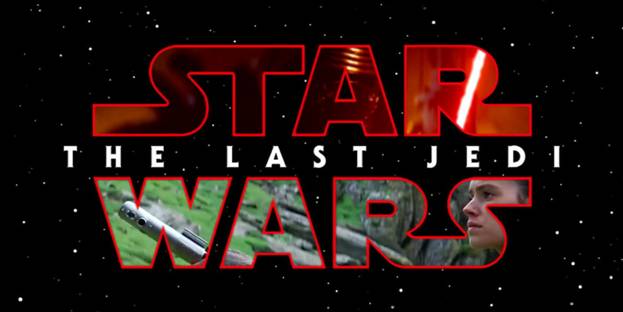
Here aspirants and readers will get to know about different steps involved in re-creating 24 FPS VFX Challenge 2018 short film based on original film Star War: The Last Jedi.

Star War: The Last Jedi is American space Opera film written and directed by Rian Johnson made in 2017.

Our MAAC Chowringhee students have selected few shots from the Original film of Star War: The Last Jedi and recreated those shots using techniques like Chroma Key and different Visual effects and Animation techniques.

Let us look at the VFX short film made by the team The Backbenchers’.

Watch The movie Click On:

https://www.youtube.com/watch?v=M7X2OG3LL14

Behind The Scene of VFX Challenge

24fpsVFX Challenge 2018- Making Vedio click on:

https://www.youtube.com/watch?v=5Lp07UXkMsk


 Set designing and Shooting is the integral part of Production Stage.

In the above picture we can see the technicians helping out in applying pointers all over the Green screen for the effect of Chroma-Key.

Before re-creating any shot or image from a movie it is very necessary to study in details about the background, mid ground and foreground


This was the first shot or image selected by our MAAC students to be re-created.

In the above picture we can see a humanoid C-3PO robot and one of our students.

In the original shot actor Oscar Isaac Hernandez Estrada was there with the humanoid robot C-3PO.

The first shot shows actor Oscar Isaac Hernandez Estrada talking to the humanoid robot C-3PO and the in the second image actor in working on this monitor.

Technical Breakdown


Shooting with camera requires lot of technical features like balancing the camera on the Tripod, checking recording mode, white balance etc.


Here we can see how the team is working on capturing the shot.

Three-point Lighting is crucial part of the shooting stage in the studio set up.


Here our student is getting a view of how he should act in front of the camera when the camera will start rolling.

With reflectors at the back and properly lit set, team The Backbenchers’ captured the first shot.


Instead of the actor Oscar Isaac Hernandez Estrada, one of our students with same dress code (brown jacket with logo) was inserted with in the shot.

MAAC Students used Chroma Key Visual Effects technique to remove the background from the shot, this technique is used in post-production stage.

Chroma Key helps in layering of two images together based on colour range.

C 3PO or Humanoid robot was Modeled in 3D software then Texture was added to the perfection and the movement was given to the robot through Camera Tracking and Animation so that the robot can move and talk with the student within the shot.

The team made lot of adjustment in the student character such as skin tone and hair was modified to match it with actor Oscar Isaac Hernandez Estrada.

At the post production stage, with the help of techniques such as Background Paint, Motion Graphics, Adding C 3PO, Adding monitor, adding MAAC student as character, Wraping, Edge Light and Shadow and adding Grains the first two shot was recreated.

Shot of Actor Adam Driver was recreated by adding another student model.

In the film Star War: The Last Jedi actor Adam appears with a Lightsaber in the fighting scene with Mark Hamill.

Our student model with similar hair and dress style of actor Adam was added into the new shot.


In the next shot actress Daisy Jazz Isobel Ridley was replaced by one of our female MAAC students.

With the similar dress code and make-up the female student stand out in front of the camera with Green screen at the background.

On the editing stage the Skin colour and Dress colour of the student character was adjusted, then the green screen background was removed.

The team re-created the shot by adding Background Paint, Stone, Light, Debrish, Character, Glow, Rainbow and Grains.

With all the CG effects the shot of moving stones all around actress Daisy Jazz Isobel Ridley was replaced by our female student model.

CG dust and debris were added.


To re-create the shot in which actor John Boyega and actor Oscar Isaac Hernandez Estrada is coming out of the rock cave, students worked on VFX and modeling.

Stones were modelled using 3D software and then proper shapes, colours and textures were added into the stones.

Stones were created by adjusting polygon and vertex in 3D software.

Through Camera Tracking and Animation movements were given to the stones.

Background green screen was removed with the CG shot of cave, Student as character was added, Shadow, rocks and debris were also added.

Each and every piece of stones were scaled, adjusted and animated to match the original.


The above picture is re-created shot of actor John Boyega and actor Oscar Isaac Hernandez Estrada coming out of the cave with moving rocks all around.

For the bullet firing weapon shot the team Backbenchers’ prepared the fresh model of the weapon in the 3D modelling software.

Weapon’s height, diameter, length and weight were all matched with the original one.

Artist worked on each single piece of the weapon, each part were created and fitted together, colour, shade and texture were adjusted.


Team The Backbenchers’ also worked on the droid model of BB 9E which is an evil twin of BB 8 in the original movie of Star War: The Last Jedi.

They first created the model or shape of BB 9E in the modelling software by adjusting polygons and vertex and then added texture and Lighting to BB 9E.


Then the artists added the Computer generated duplicate background, object, Glow, Shadow and Grains to the shot.

That is how students of MAAC Chowringhee centre created their short film 24 FPS VFX Challenge 2018 based on the original movie of Star War: The Last Jedi.

So, readers if you are willing to know more about the VFX techniques that can be used to recreate any Movie shot, then just visit our place and get the best training on VFX courses.

Click Here And Register Yourself.

Thursday, 7 February 2019

Race 3 Action Packed VFX Scene

Hello, Readers here we will take a look into how VFX used in Remo D’Souza directed action thriller film Race3.


Today through this blog we will take you into the World of Bollywood Movies. Race 3 featured actors like Anil Kapoor, Salman Khan, Bobby Deol, Jacqueline Fernandez, Daisy Shah, Saqib Saleem and Freddy Daruwala.

This film became huge success at the box office and it the sequel of Race (2008) and Race 2 (2013).

Produced by Tips Films and Salman Khan Films Company, this film was released in June 2018.

Director Remo D’Souza launched Salman Khan one of the India’s most bankable stars in 3D Bollywood action-adventure film Race 3.

Mind-Blowing VFX Of The Movie Race 3


The shooting of the film Race 3 began on November 2017 at the Mehboob Studios in Mumbai.

Then the filming of Race 3 moved to Bangkok in Thailand where the crew filmed a song and an action sequence choreographed by Anal Arasu, at Bangkok’s Floating Market, Rose Garden and Jungle of Kanchanaburi Province of Thailand.

After Thailand the next shooting location was Abu Dhabi where shooting was done for 35 days at Emirates Palace, Yas Viceroy Abu Dhabi, The St Regis Abu Dhabi, Abu Dhabi National Exhibition Centre, Emirates Steel Company and the Liwa Oasis.

Choreographer Tom Struthers who choreographed in the movie like ‘The Dark Knight’, choreographed the action sequences in Abu Dhabi in an extensive schedule.


For the romantic song shooting between Salman Khan and Jacqueline Fernandez, the crew moved to Kashmir and then to Ladakh.

Actress Jacqueline Fernandez underwent extensive training in Mixed Martial Arts for this movie.


The plot is about the Shamsher Singh (Anil Kapoor) who is a runaway criminal from a village near Allahabad, now owns his weapon business and the conspiracy within his family members.


Shamsher owns a private island Al-Shifa for trading arms and Sikander Singh (Salman Khan) is Shamsher’s step son, there is an intra-family rivalry going on among all of them for the control of business and assets but nobody knows “Iss Khel ka asli Sikander kaun hai”

Yash (Bobby Deol) is a close partner at Shamsher’s empire and Sikander’s confidante whereas Raghu Chaha is the bodyguard of Shamsher.

Other Singh family members included Suraj (Saqib Saleem) and Sanjana (Daisy Shah) who are twins of Shamsher Singh, things get dramatic when Jessica meets Sikander and the family ties becomes strained under each character’s ultimate motives.

Race 3 has stylized characters and high-octane action.


The film showed expensive cars and elaborate shooting set locations.

This film shows all types of action scenes like Car Crashes, Explosions, Combats, Car-fights and Wing suit diving stunts.

Action Scenes are in slow-motion to heighten the drama and thrill of the film.

Race 3 cinematographer Ayananka Bose raised the bar of action sequences in this film.


In the climax scene shot in desert, cars were actually blown up; Wrangler Jeep which costs lakhs in India the crew bought 17 such Jeeps and blew up every one of them.

To add realism and heightened 3D experience VFX team showed car’s mechanical parts flying –off the screen towards the camera.

The climax scene shooting also received security from the Military of Abu Dhabi due to the explosions on the set.

Around 8 to 10 cameras were used on the set of the action sequences, some choppers, drones and Russian Arms.

Which is basically a high-end camera mounted on a high-speed Porche Van or a Mercedes to help cameraman to shoot from one car to another.


This film featured larger than life action sequence for Salman Khan.

Lots of Chroma-Key effects were used in the action sequences.

First the shots were taken with green-screen at the background and later real location visuals were added at the background.

Khan blowing up the cars by firing the missile like bullets was a real shot, as the director really blew up many cars during shooting.

Visual Effects, 3D conversion and colour grading were done by Prime Focus Limited, the world’s largest independent integrated media powerhouse.

As cinematographer Ayananka Bose recalls there was a very positive vibe on the set and lots of fun due to Salman Khan.

The movie is captured on a lavish canvas with beautiful locations, especially romantic song were captured in the mountain areas covered with snow, river and rocks.


Salman Khan’s fans definitely got satisfied by the sight of body muscle of Khan and Bobby Deol when they open ups their shirt off.

The action sequences included kickboxing and hand to hand combat.

Most of the action shots were performed by the cast of the film themselves as they gone through training for weeks before the beginning of the film shooting.

With no doubles being used, Jacqueline learned Mixed Martial Arts while Daisy Shah worked on her flexibility and ability.

Bobby Deol prepared hard and came up in a new avatar and Saqib Saleem performed raw action.

Anil Kapoor got trained to perform action with weaponry.

Race 3 Action Packed VFX Screen

The two marvellous VFX shots in the movie included Salman’s wing-suit and Bugatti Veyron explosion scene.

Salman Khan’s special entry in Wing suit was the thought of Remo D’Souza, as Remo wanted to do something different.

Remo wanted to bring Salman from the sky to make the entry special and unique.

VFX team under the supervision of Vishal Kapoor delivered an outstanding output.

Dialogues in this film played a different level altogether like ‘My business is my business, none of your business’ and Daisy Shah comes up with ‘Don’t open your heart, switch on your Dell Laptop’.

Race 3 released on 1000 screens and collected Rupees 39.87 crore on opening day in India and became the biggest opener of the year.

If you want to be a part of such magnamopus join us and pursue your career in VFX.

Tuesday, 5 February 2019

How ILM Enliven The Last Jedi

In our today’s blog post you are allowed to discover the secrets behind the massive Visual Effects and stunning creatures of The Last Jedi.


MAAC Kolkata presents the blog with respect to the techs and techniques of Visual Effects utilized in the film, Star Wars: The Last Jedi.

Here, aspirants and readers will get to know about the different VFX techs used in the movie.

So, let’s have a look at the blog.

Ahead of the pack up to the arrival of Rian Johnson’s eagerly awaited The Last Jedi, the movie producers were tight-lipped on what privileged insights were in store from the most current Star Wars film.

Be that as it may, 3D World figured out how to gain admittance to Visual Effects director Ben Morris from Industrial Light and Magic (ILM), who shared his experience of regulating the movie’s huge VFX exertion.


Here, Morris separates how ILM’s Visual Effects group understood The Last Jedi  darling porgs, what went into the Motion Capture and CG for Andy Serkis’ detestable Snoke, driving up the Millennium Falcon, creating lightsaber effects, and managing Luke Skywalker’s mechanical hand.


The Falcon takes off


One of the ‘characters’ included in The Last Jedi is obviously the notable Millennium Falcon, this time guided by Chewbacca and Rey (once in a while with a little help, or video games, from the delightful porgs).

In the first Star Wars set of three, the Millennium Falcon was obviously a scaled down ship shot by means of motion control on bluescreen and optically composited into star fields and space fights.

Presently it is a totally advanced creation, despite the fact that cockpit insides relied on an incomplete set recorded at Pinewood Studios close to London.

Since the Falcon has seen so much screen time in the Star Wars films, Morris was constantly ready to locate some sort of reasonable reference when it came to delineating the flying scenes for The Last Jedi.

“We would dependably reference what’s occurred in the past movies,” he says.
“As a matter of fact, per dispatch, when we’re doing these movies we have the best of each shot with an X-wing, and afterward Star Wars and the Falcon.
At the point when the craftsmen begin these groupings, they really sit and survey those interminably and discuss what’s great and terrible, in light of the fact that you’ve recently got the chance to figure out how to do it.”

ILM additionally had the advantage of hearing straightforwardly from the individuals who had chipped away at the first set of three, including senior Visual Effects administrator Dennis Muren.

This really furnished the group with some intriguing lessons about the mobility of the Falcon, regardless of the then crude controls accessible from the model movers and motion control cameras once upon a time.

“The thing that I generally detract from the Falcon is that, even in space, it flies as though it has air elements on it,” watches Morris. ”

There’s saving money and slipping and swerving.


 It resembles a gigantic skimming stone. For whatever length of time that you play it that route with the shape of the ship and its directions, at that point, your Animation will be correct.”

Without a doubt, the Millennium Falcon shots were among the most looked for after at ILM.

It was, as indicated by Morris, “similar to a rugby scrum, a punch-up” as far as specialists from the Visual Effects studio’s different workplaces asking for to take a shot at Falcon shots (the film was shared among ILM’s offices in London, San Francisco, Vancouver, and Singapore, with commitments from other VFX studios too).

The Most Effective Method to Make a Porg


Months before The Last Jedi hit the screens, one sort of character was at that point a group of people top pick: the porgs.

These flying creatures from the island of Ahch-To, where Luke Skywalker has been in separation, caught the creative energy of many.


Strikingly, the feathered creatures were initially planned to be just physical manikins made by animal impacts director Neal Scanlan, at the end of the day were additionally worked in CG.

“We had animatronics fit for the expert activities, such as flying on links or others that were radio controlled for foundation scenes,” says Morris.

“We experienced the entire no frills shoot and after that when we got to the editing portions there were a couple of shots where we figured we could do some more activities.”

To construct a 3D version, ILM shot and filtered Scanlan’s handy porgs, taking consideration to speak to each and every detail directly down to the quills.

“There’s a quite certain route around the back of their heads that the quills look and the greater part of that was totally duplicated in the CG form,” says Morris.

“The things that we look past what the animatronics had been mouth insides with modest little teeth and having the capacity to explain the tongue

Contriving the Snoke re-surfaces


In The Force Awakens, Supreme Leader Snoke seemed just as an anticipated CG multi-dimensional image, 25 feet tall.

In any case, in The Last Jedi, he is a sensible character, which required a re-working by ILM of its advanced model and way to deal with catching Andy Serkis, who loaned his Motion Capture ability and voice to Snoke.

Truth be told, this time around Snoke would be enlivened by means of numerous strategies.

To begin with, Scanlan’s group given a maquette of the character to be utilized on set as a reference.

In the wake of confirming that Snoke’s stature would achieve eight feet, remain in performing artists were additionally depended after amid shooting, one wearing a brilliant kimonolike ensemble that ILM, in the long run, replicated carefully.

ILM re-worked its unique Snoke display for additional detail, likewise putting Serkis inside a Medusa Performance Capture Rig, which had been produced by Disney Research for high-res filters.

As shots advanced, the VFX group kept running into a one of a kind problem expedited by a blend of the voice Serkis had given and the character’s facial highlights, as Morris clarifies.

The Visual Effects artists additionally needed to reproduce Snoke’s garments, comprised of a long flowing coat, and afterward manage his wrinkly skin and distortion.

“We took a gander at how men’s appearances can change as they get more seasoned and have things like sobbing eyeballs and lower covers,” portrays Morris.
“At that point, we had that dried skin and sticky lips. We even demonstrated Rian this old show called Steptoe and Son which had this revolting old character with some spiky stubble and Rian fundamentally stated, ‘Pull out all the stops.'”

The Star Wars Experience


For Morris and whatever is left of the ILM group, The Last Jedi encounter was an extraordinary one.

The Visual Effects chief, specifically, says he owes his vocation to seeing the Star Wars films as a kid.


Morris initially got into model and manikin making with the Jim Henson Creature Shop (where he likewise initially met Neal Scanlan), at that point labored for quite a while in computerized Visual Effects at Framestore before moving to ILM.

He revealed to 3D World he is especially energized that the stylish in these new Star Wars films, including on The Last Jedi, was to present a ‘retro’ vibe to the spaceships, universes, and animals, while as yet depending on years of advances in Visual Effects.

So, if you are seeking to know more about the diverse prospects of the VFX breakdown of The Last Jedi, this is your destination, just visit our place and get the best training on courses like 2D Animation, 3D Animation, Visual Effects, Multimedia, Web Designing, Graphic Designing and other architectural courses.

Sunday, 3 February 2019

Uncover the Ways To Utilize Polygroups In ZBrush

Hello, readers and friends today this writer would like to introduce you to polygroups (the most overlooked part), a very significant part of ZBrush.


This blog post is presented by the MAAC Kolkata institute, the global leader of Animation and VFX.

MAAC Kolkata presents this instructional exhibits in joint association with the three centers of MAAC Chowringhee, MAAC Rashbehari and MAAC Ultadanga.

Here, you will get to know the ways to use polygroups in ZBrush in a very effective way.

Polygroups enable you to arrange the work with visual gathering data.


Polygroups are one approach to sort out your work.

Another route is to utilize Subtools. Where SubTools make isolate bits of geometry, Polygroups just make isolate determination regions.

Your work is as yet one touching surface.

Polygroups are to a great degree intense method for working with your work.

Different capacities, for example, the Insert Mesh brushes, utilize Polygroups.


To begin with polygroups, it is important to mention that ZBrush has a variety of numerous great features and you will find it convenient to ignore or overlook one of the most beneficial aspects of ZBrush i.e. polygroups.

Look at the Polygroups subpalette of the Tool palette for more creative choices.

Polygroups can be defined as a method to for relegating gatherings of polygon countenances to a determination.

Well, at times these polygon groups are recognized from each other by their score value colors, which is viewed by empowering PolyFrame.

You can make a Polygroup by stowing away different polygons and gathering the obvious polys.

Or on the other hand, you can cover out a zone and be gathering those polygons.

So once you’ve made some polygroups, what would you be able to do with them?

How about we investigate five ways you can utilize Polygroups to improve your ZBrush work process.

Eliminate Polygroups using Transpose


In polygroups, the transpose tool is not now for moving objects around your ZBrush canvas.

In addition to the polygroups, you can utilize Transpose in order to extrude faces either in or out of the ZBrush Canvas.

Once your Polygroup is characterized, initiate Transpose from the Brush palette or simply change from Draw to Move (W).

Presently CTRL-tap on the Polygroup.

CTRL-delay the middle hover to expel the Polygroup in or out from the surface.

By means of holding movement will enable you to compel the expel along the normals of the surface.

On the off chance that you utilize Scale rather than Move, you can make an inset.


Control the Effect of your Brushes


At the time of working with actual complex models which are made up of numerous pieces.

At times, it can be complicated to only influence some parts with your strokes.

For example, you should need to utilize the Move Brush to fluctuate singular cases of rocks or plumes that are inside the same subtool, without influencing other adjacent pieces.

In order to start with you have to dole out various Polygroups to each example by picking Autogroups from the Polygroups subpalette.


This will make another gathering for each different piece, yet you can likewise make custom gatherings on a single bit of geometry.

Presently, subsequent to initiating your brush, go to the Automasking area of the Brush palette.

On the off chance that you set Mask By Polygroups to 100, at that point your brushstrokes will just influence the main Polygroup that you tap on.

In the event that you set it lower than 100, the strokes will for the most part influence the main Polygroup touched, with a falloff happening over any extra Polygroups.

Introduction to UV Islands


UV Master is considered as a great way to rapidly lay out some of the good UVs on your geometry.

While utilizing UV Master, though, you administer a simple slice of control in the method the UVs are created and distributed.

With the assistance of Polygroups, you can obtain a little of that control back.

Basically, break your model into Polygroups in light of your proposed UV islands.


You can utilize concealing or make just your proposed polygons obvious and pick Group Visible from the Polygroups subpalette.

At that point, in the UV Master, turn on the Polygroups catch. Presently when you unwrap your UVs, the greater part of your polygroups will be isolated into various UV islands.

Making Boards


Polygroups can be an awesome help in separating off your models keeping in mind the end goal to make complexly layered boards for things like bodysuits, garbs or reinforcement.

Once you’ve allotted your Polygroups, you can utilize the Edge Loop instruments to make the boards themselves.


Found in the Tool palette, under Geometry/EdgeLoop, Group Loops will enable you to make a custom number of edge circles encompassing your Polygroups.

These can be utilized to make trim or a more completed edge once expelled.

You may likewise utilize Panel Loops to rapidly make raised, angled boards in light of your Polygroups.

Mesh Replacement


Polygroups will enable you to interface different bits of geometry flawlessly into your model, without utilizing DynaMesh.

Presently select an Insert Mesh brush with an open bit of geometry-attempt InsertHCylinder.

In the first place characterize a Polygroup where you’d like your new geometry to the interface.

Veil out the suitable zone and hit CTRL + W to make a Polygroup from your cover.

To make cleaner Polygroup edges from the veil, increment the clean sum by Group Masked in the Polygroups subpalette.

Coax it out finished your new polygroup and CTRL-drag in the canvas to unmask.

CTRL-drag again to make a consistent association between the two pieces.

As a reward, the new polygons that are made are doled out another Polygroup.

These are only a couple of the ways Polygroups can be utilized to improve your ZBrush devices and let you utilize them to their maximum capacity.


How would you utilize Polygroups in your work process?

So aspirants what are you waiting for?

Join us and explore the world and be a part of a promising career.